Video & Motion

Video Editing Services for Product and B2B Marketing Teams

Editing for footage that already exists: product demos, webinars, testimonials and ad cutdowns, delivered with captions and a repeatable pipeline.

NDA on request · Free, no-obligation estimate · Reply within one business day

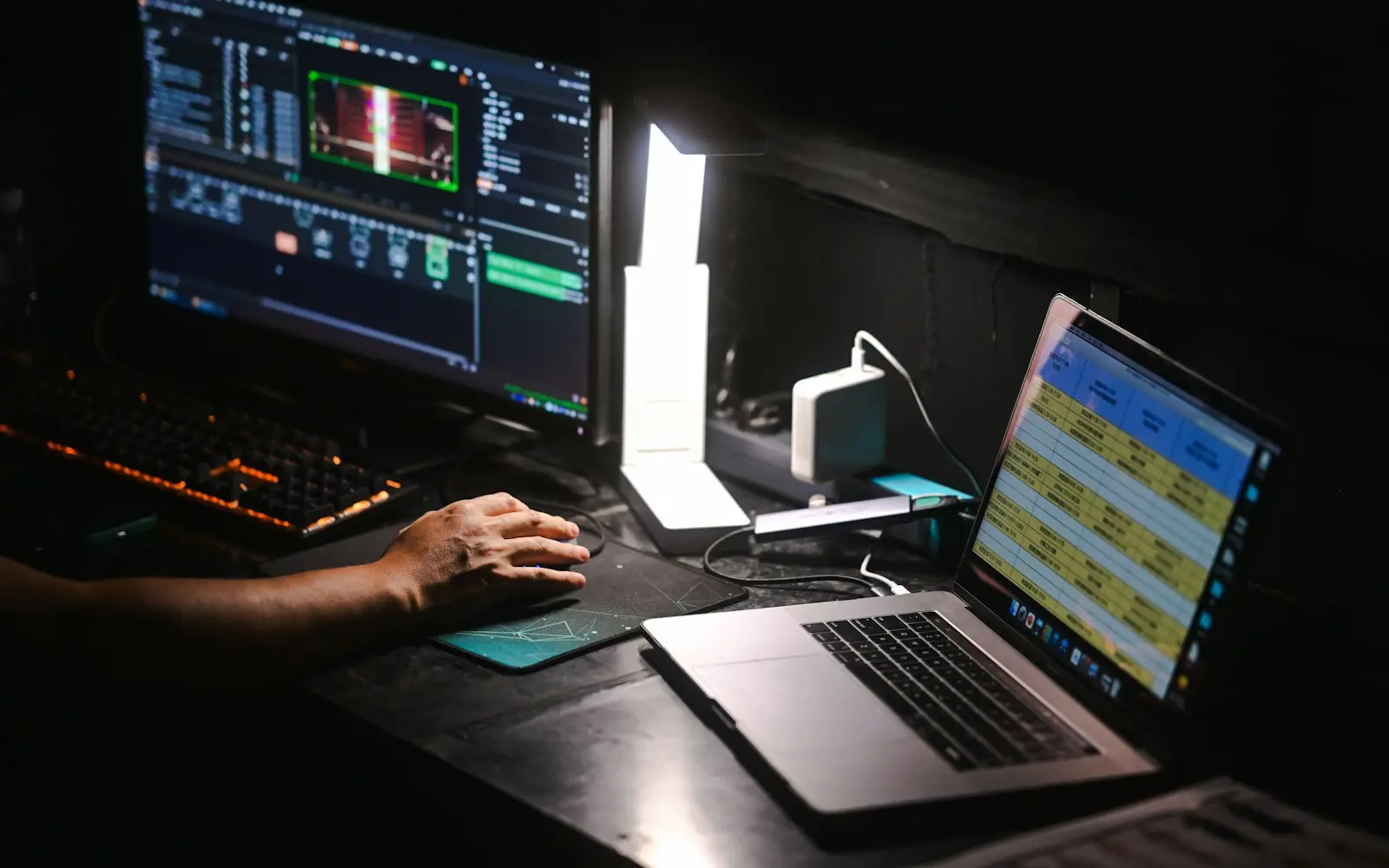
Video editing timeline on a monitor beside a laptop at a dark workstation
NDA before discovery
You own the code and IP on payment
Code in your repository from day one
A working demo every two weeks
Senior engineers do the work
How we work

Video editing services here mean exactly that: editing footage that already exists, not producing it from a script and a crew. Product walkthroughs recorded on a screen, webinar replays, sales call clips a client has permission to reuse, and raw customer testimonial footage all come in as source material and go out as something a marketing or sales team can actually publish.

The difference from a freelance editor is the pipeline behind the edit. Long-form recordings, a demo call, a webinar, a training session, get run through automated transcription so we can find the usable clip inside an hour of footage instead of scrubbing manually, and captions get generated from that same transcript rather than typed by hand. For teams publishing regularly, we set up the delivery pipeline itself: a folder structure and a lightweight automation that moves an approved cut from edit to the destination platform.

We never fabricate a testimonial or dramatize a demo with staged results. If footage is a real customer talking about a real outcome, we edit it for pace and clarity; we do not write lines for someone to say on camera.

What we deliver

Video Editing services

  • Product demo editing

    Screen recordings cut down to the flow that actually shows the product's value, with pacing, zooms and callouts added so a viewer does not need narration to follow along.

  • Webinar and recorded call editing

    Long recordings cut into a clean full replay plus a set of shorter clips pulled from the moments worth sharing on their own.

  • Customer testimonial editing

    Editing of real, permissioned customer footage for pace and clarity, removing dead air and false starts without altering what was actually said.

  • Ad cutdowns

    Existing footage recut into the shorter lengths a paid social or pre-roll placement requires, matched to each platform's aspect ratio and attention span.

  • YouTube channel editing

    Ongoing editing on a schedule, with consistent pacing, thumbnails and end screens, so a channel builds a recognizable format instead of one-off uploads.

  • Captioning and subtitles

    Transcript-based captions and subtitle files generated for accessibility and for the platforms where most viewers watch with sound off by default.

  • Audio cleanup and color correction

    Background noise reduction, level balancing and basic color correction so footage recorded on inconsistent equipment reads as one coherent piece.

You receive

Deliverables

  • Edited video files in the resolution and format each platform requires
  • Caption and subtitle files generated from the transcript
  • Short-form cutdowns pulled from long-form source footage
  • Raw transcript of the source recording
  • Thumbnail options for YouTube or on-demand hosting

How we work

Our video editing process

  1. Intake and transcription

    Source footage is logged and run through automated transcription, which gives us a searchable text version of an hour-long recording before any manual review starts.

  2. Selects and structure

    We mark the usable sections against the transcript and propose a structure for the edit, agreed with the client before full editing time is spent.

  3. Edit

    Full edit including pacing, transitions, on-screen text and callouts, built to the approved structure rather than assembled from scratch on the fly.

  4. Audio and color pass

    Noise reduction, level balancing and color correction applied so footage from different sources or sessions reads consistently.

  5. Captions and review

    Caption files generated from the transcript, synced to the final cut, then sent for client review with timestamped notes.

  6. Delivery

    Final export in the formats each destination platform needs, delivered through the pipeline we set up rather than a manual file handoff for every video.

Why transcription runs before editing

Editing an hour of unstructured recording by scrubbing through the timeline is slow and it is easy to miss the best clip. We run every long-form source through automated transcription first, which gives a searchable text index of the recording.

That transcript also becomes the source for captions, so subtitles match what was actually said instead of being typed separately and drifting out of sync, and it lets a client search their own footage library for a specific quote or moment without watching hours of video to find it.
A pipeline for teams publishing on a schedule

A single video is a one-off editing job. A weekly webinar, a regular YouTube upload or an ongoing customer testimonial program is a production line, and treating it like a one-off job every time creates unpredictable turnaround.

For recurring volume, we set up a lightweight automated pipeline: an intake folder, automatic transcription, and a routing step that moves an approved cut to its destination platform. The editing judgment stays human; the repetitive file handling does not.

Technology

Technologies we use

Budget

What drives cost and timeline

  • Source footage length and quality

    An hour of clean single-camera footage edits faster than the same length recorded across multiple angles or with inconsistent audio quality.

  • Number of deliverables per shoot

    One long-form edit costs less than the same source material cut into a full version plus five short-form clips for social.

  • Revision rounds

    A structured single review round is faster to price than open-ended revision across multiple stakeholders with different opinions.

  • Ongoing volume

    A standing monthly volume, like a weekly webinar or a regular YouTube upload schedule, is typically more efficient per video than one-off requests.

Compliance

Standards we design and build to

None of these is a certification or attestation held by this agency. They are the standards we design and build client systems to, so your own audit or assessment starts from a sound base.

  • GDPR / UK GDPR

    Personal data handled on a lawful basis, with data minimisation and a documented retention policy.

  • HIPAA safeguards

    Administrative, physical and technical safeguards applied where a system touches protected health information.

  • PCI DSS scope reduction

    Card payment flows tokenised through a certified processor so cardholder data never touches your systems.

  • SOC 2 readiness

    Access control, change management and audit logging built in from day one, ready for a client's own SOC 2 audit.

  • WCAG 2.2 AA

    Keyboard navigation, colour contrast and screen-reader labelling checked against the AA success criteria.

  • OWASP ASVS

    Authentication, session handling and input validation reviewed against the Application Security Verification Standard.

We list certifications only when they are real and current. See our security practices →

FAQ

Video Editing FAQs

Do you film the video or only edit footage we already have?

We edit footage that already exists: screen recordings, webinar replays, recorded calls and customer testimonials filmed by you or a local videographer. We do not run a production crew or schedule filming shoots, so if you need something filmed from scratch, that step happens before footage reaches us.

Can you turn a long webinar recording into short social clips?

Yes. We transcribe the full recording, identify the segments worth extracting, and cut those into shorter clips sized for whichever platform they are going to, usually alongside a cleaned-up full-length version for on-demand viewing or an email follow-up.

Will our customer testimonials look staged or scripted?

No. We only edit real, permissioned footage of an actual customer, and editing means removing dead air, false starts and filler words for pace, not rewriting what someone said. If a client wants a scripted brand video instead, that is a different kind of production we do not offer here.

How do you generate captions and are they accurate?

Captions are generated from the same transcript we use for editing, then reviewed and corrected by an editor before delivery, since automated transcription alone can misread names, acronyms or industry terms. You receive both the caption file and the underlying transcript.

What turnaround should we expect for a single edit?

It depends on source length and the number of deliverables requested, but a single webinar or demo edit with one review round typically turns around within a few business days. Ongoing weekly volume moves faster once the pipeline and format are established after the first cycle.

Can you edit footage recorded on a phone or with mixed audio quality?

Yes, within reason. We run noise reduction and level balancing to make inconsistent audio sound coherent, and basic color correction to even out footage shot in different lighting. Severely damaged audio or unusable video quality is flagged before editing starts rather than after delivery.

Get an estimate for your video editing project

Share a few details about your project. A senior engineer reviews every request and replies with next steps, questions, and a rough budget range.

Get a free project estimate